LoggerPro
Diagnostics for people who build Unity Editor tools
- Available
- Tool
- Unity 2022.3 LTS+ · Editor-only · no third-party packages
- $40
- C# · Unity 2022.3+ · Assembly definitions · NUnit
A diagnostics workshop for your own project, and a support channel between you and the people who buy what you make.
A runtime logging framework, or something your players ever see. Everything but the small logging API is Editor-only and compiled out of player builds.
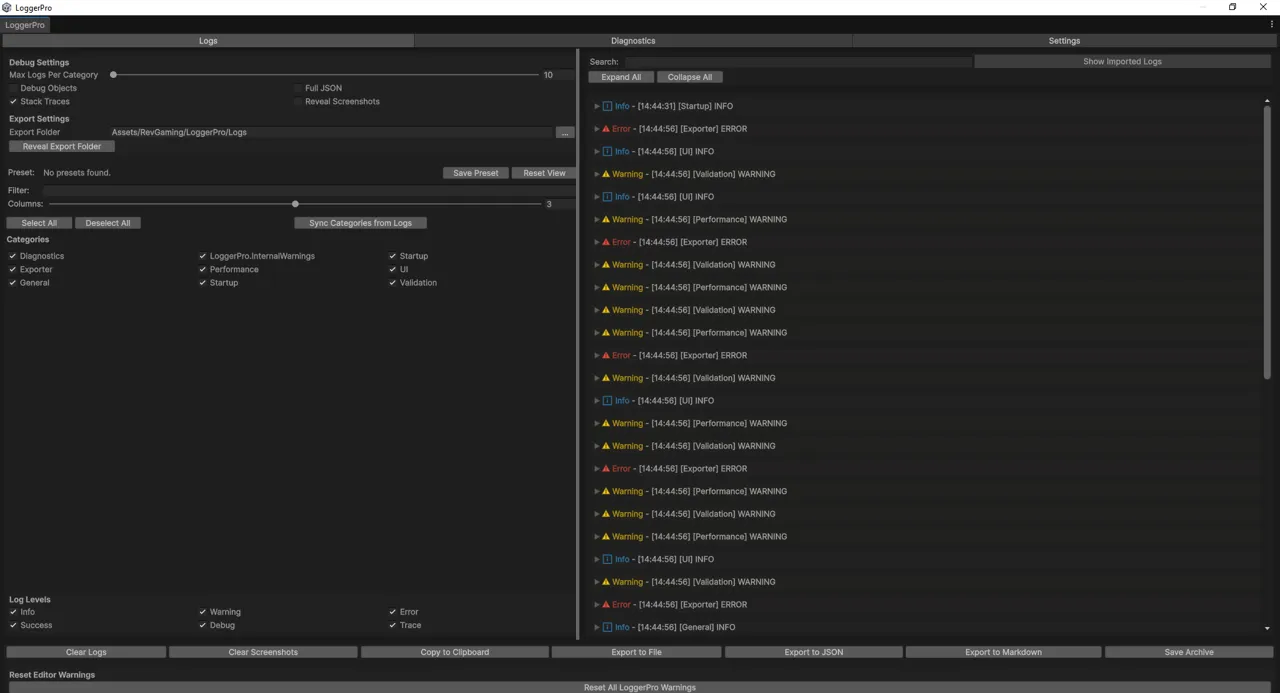
LoggerPro — the window
Two halves that need each other
A console for you. LoggerPro mirrors Unity’s own log stream, so it replaces the console rather than sitting beside it — third-party asset output, unhandled exceptions and compiler errors all land in the same place, categorised, filtered, deduplicated, with clickable stack frames. Captured logs are grouped by where they came from, so you can mute one noisy asset without muting your own code.
Categories are created on first use. You keep your existing logging calls and you do not need conditional compilation.
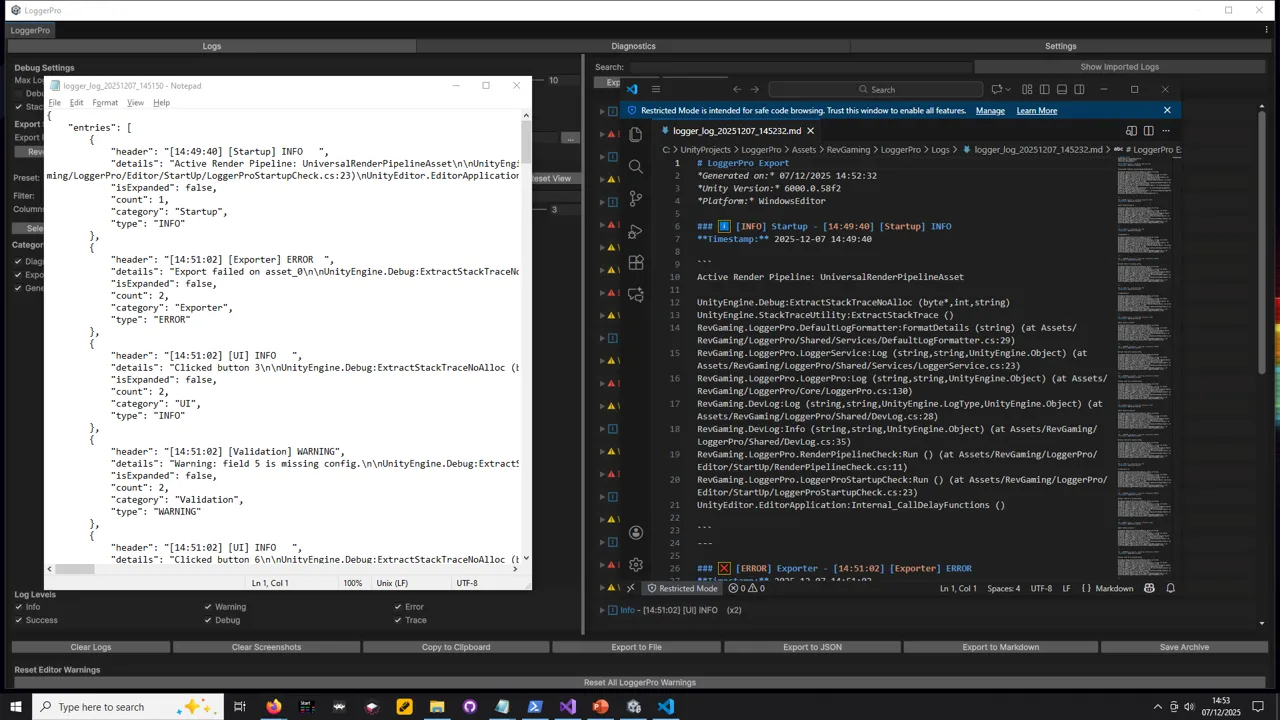
A support channel for your users. LoggerProLite is a small console you ship inside your own asset. Your customer hits a bug, opens a window branded with your asset’s name, and clicks Send Report. They get a preview first, with paths and usernames scrubbed by default. You get an archive you import in one click.
What arrives with it: their logs with categories, severities and timestamps intact — plus Unity version, build target, scripting backend, API level, render pipeline, colour space, define symbols, installed packages, and which version of your asset they were running.
Which is to say: the bug report is already filled in, and the follow-up email asking what version they’re on never has to be sent.
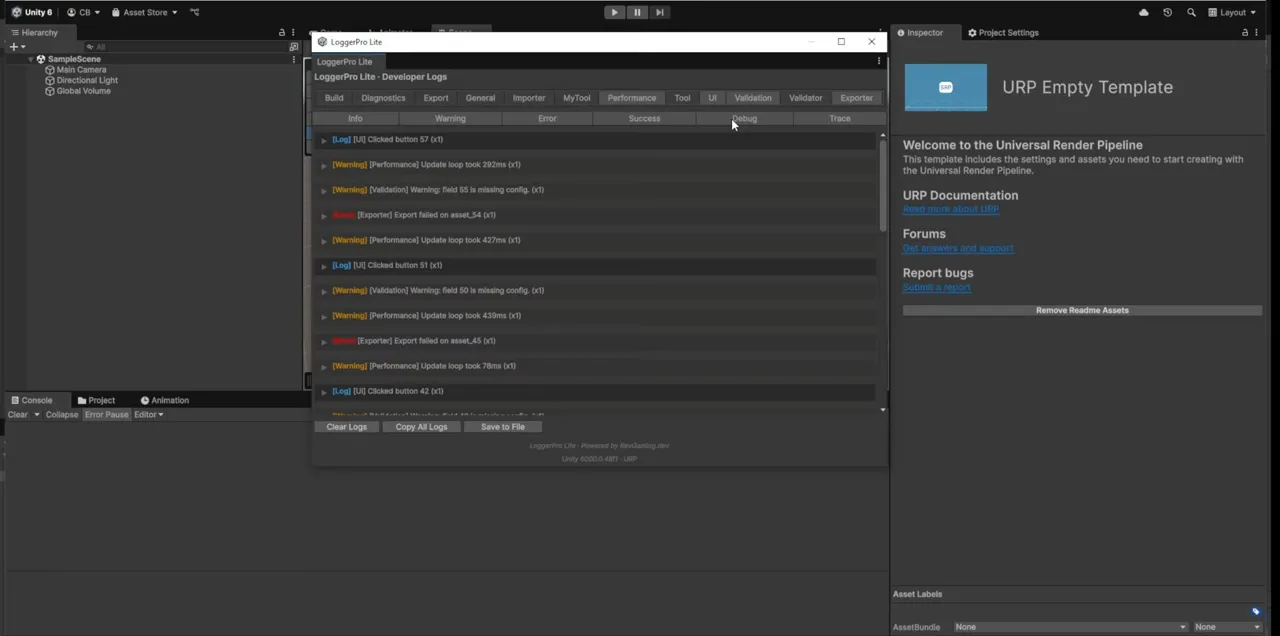
That is Lite in a bare URP template — no LoggerPro installed, nothing else in the project. Which is the point: it is what your customer sees, in their project, not what you see in yours.
The diagnostics suite
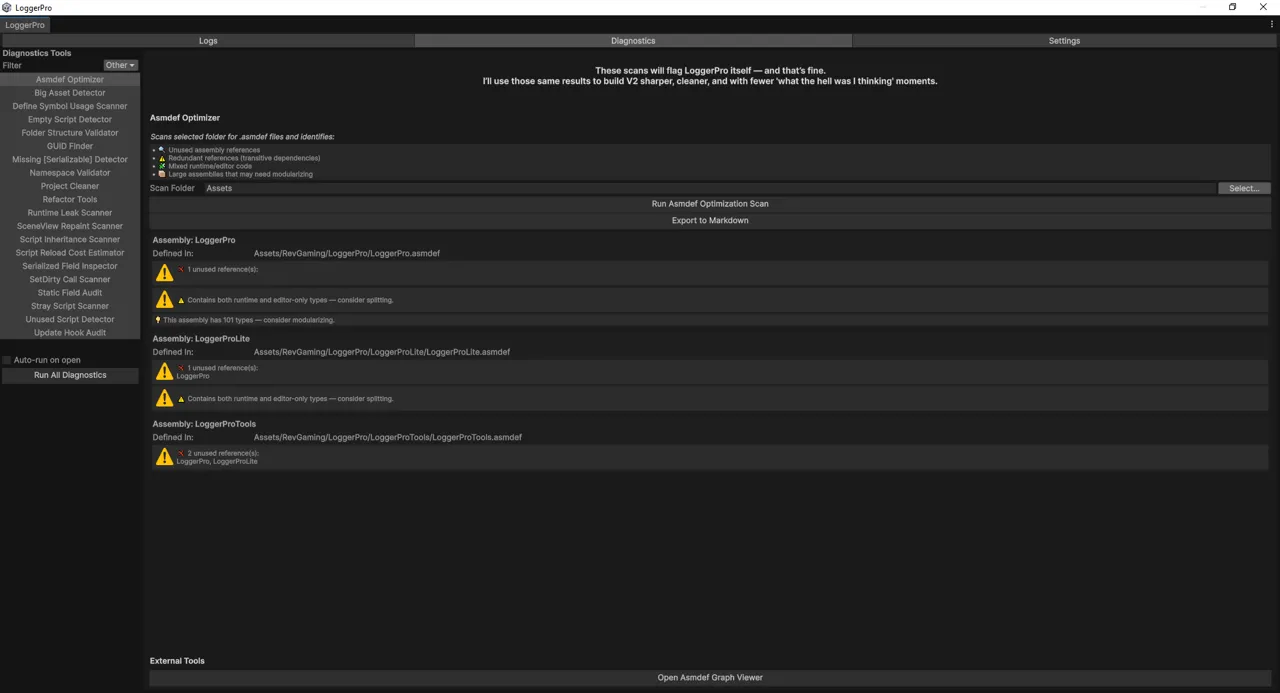
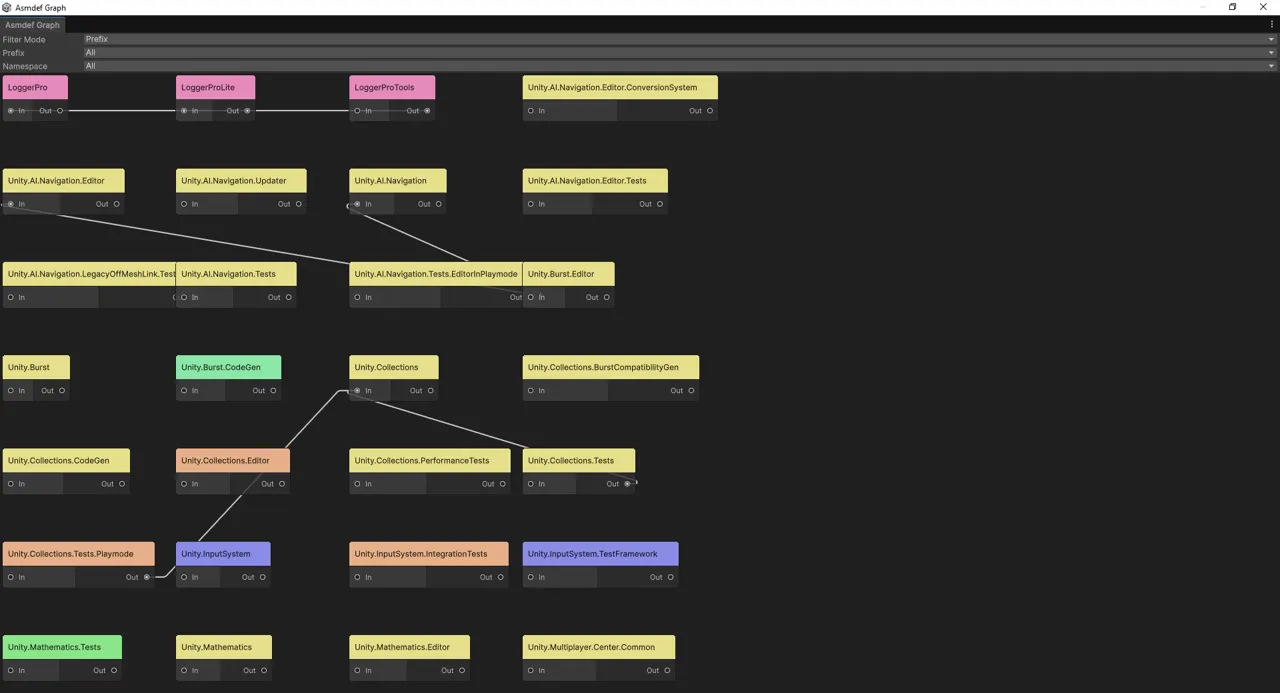
Twenty-plus scanners that look for what breaks an asset once it is installed in someone else’s project — leaked statics, update hooks that never unsubscribe, asmdef mistakes, orphaned files, namespace drift, oversized assets, serialization traps.
Memory and cache · static memory · update hooks · SceneView.RepaintAll ·
EditorUtility.SetDirty · asmdef optimiser and dependency graph · folder
structure · namespace validation · script inheritance · empty and stray
scripts · missing [Serializable] · define symbols · unused scripts · big
assets · script reload cost.
They scan anything you point them at, including LoggerPro itself, and nothing is filtered out. The screenshot above is the Asmdef Optimizer doing exactly that — reporting unused references and mixed runtime/editor code in LoggerPro’s own assemblies, with a note at the top of the panel that says so rather than quietly excluding itself from the results. Several checks are heuristics. A finding in code you do not own is information rather than a task list, and a result is a lead to confirm rather than a defect proven. The tool says so itself, in those words.
New tools are discovered automatically — implement IDiagnosticTool and it
appears in the sidebar. There is no registration step.
What ships in your build
The console, the diagnostics and everything that writes a file are Editor-only
— LoggerPro.asmdef sets includePlatforms: ["Editor"], so none of it is
compiled into a player.
LoggerPro.Runtime is the exception and has to be, because it holds the API
your game code calls. It is small: the logging facade, categories, a capped
in-memory store and the configuration types. In a player the calls still work
and write to the Unity player log, but nothing is read or written to disk and
none of the console or diagnostics code is present.
So the cost in a build is a small assembly and a bounded list. Not zero — stating it as zero would be easier and would also be untrue.